
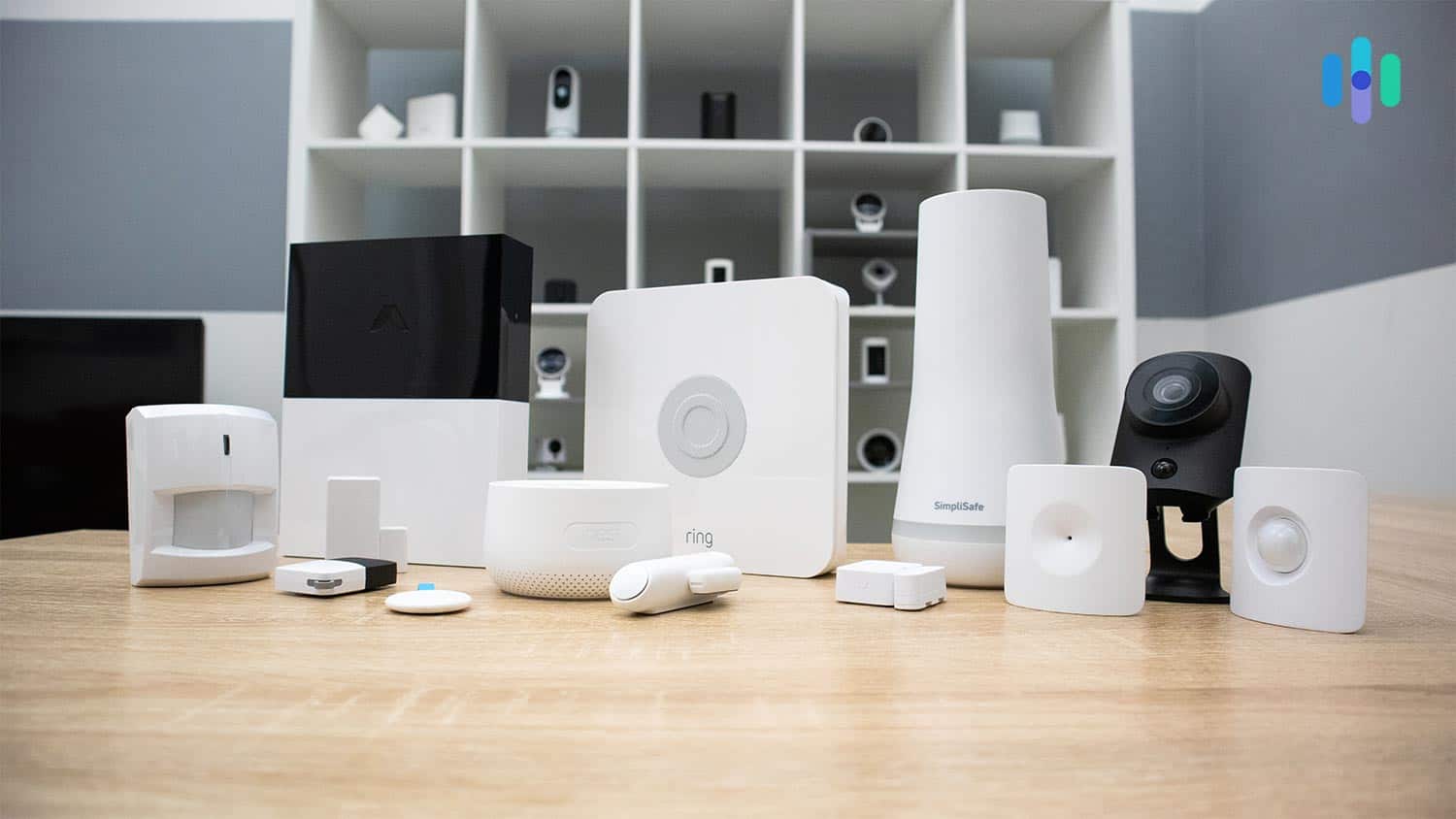
1. SimpliSafe – Best Overall
Product Specs
| Equipment Costs | Packages starting at $249.96 |
|---|---|
| Monitoring Options | Professional and DIY |
| Monthly Monitoring Costs | Starts at $31.08 per month |
| Contract Lengths | Month-to-month |
| Installation Options | DIY or professional |
| Smart Platform Integration | Alexa and Google Home |

SimpliSafe Overview
Because SimpliSafe started out providing security systems to renters, you know the company has the apartment security game on lock. While SimpliSafe products are great for large houses and properties, the lack of long-term contracts and easy DIY installation really appeals to renters like us. SimpliSafe also recently started offering a 24/7 monitoring service that elevates the company as a great alternative to ADT. We also think it’s one of the best security systems overall.
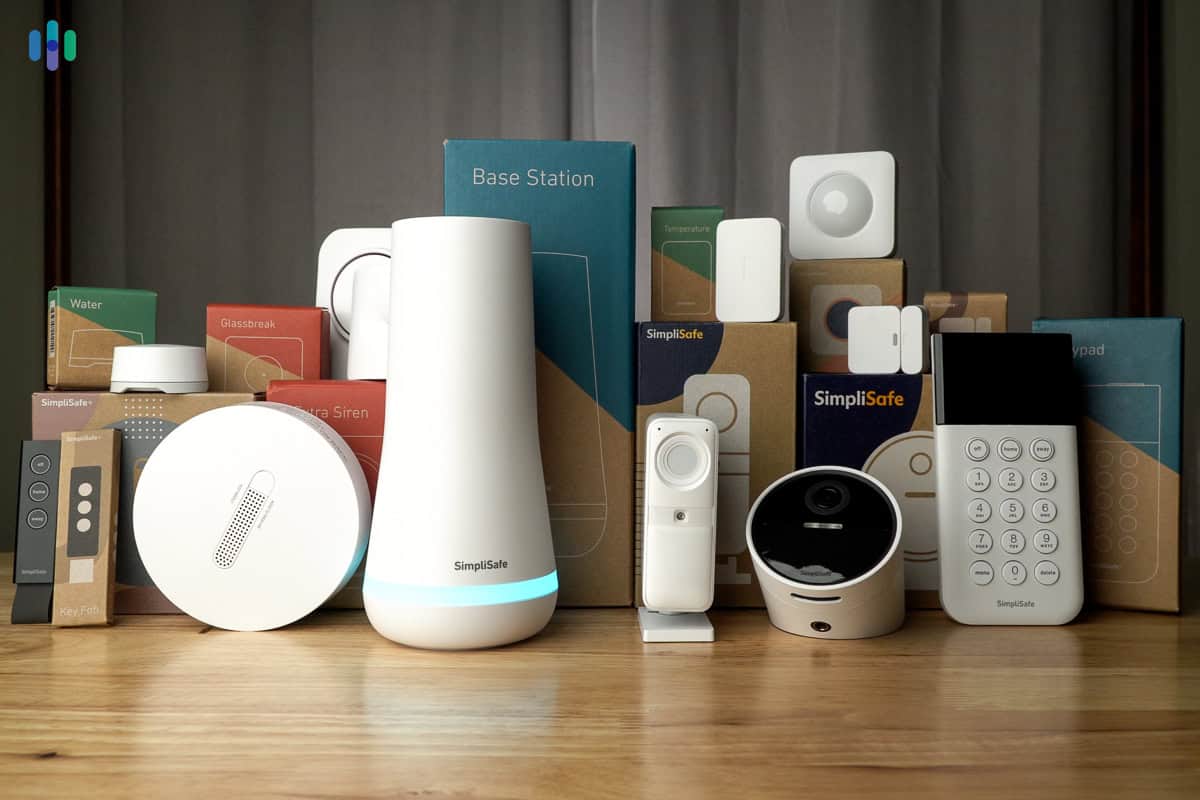
While SimpliSafe has one of the highest minimum monitoring costs, the Core plan includes video monitoring, which other basic plans don’t necessarily include. Also, because an apartment-tier system from SimpliSafe doesn’t require major installation, it’s easy to pick up and move when you change apartments. You can also add on extra equipment or change your monitoring plans if you move into a bigger place. In fact, we’ve also rated SimpliSafe as one of the best security systems for large homes. That’s how good SimpliSafe is.
FYI: You probably don’t need it right now, but when you become a homeowner, SimpliSafe can scale up your monitoring with the Pro and Pro Plus plans. In addition to Core’s indoor video monitoring – which we’ll discuss below – those two plans offer outdoor video monitoring to better deter crime.
What We Like
- Super-easy installation
- Affordable deluxe monitoring
- Basic functionality without a subscription
What We Don’t Like
- Must call to cancel subscription
- Must subscribe for key features
- Limited equipment range
SimpliSafe Contract
How hard is it to cancel a security system contract? It’s a spectrum. On one end, you have Vivint. Good luck trying to cancel that early without incurring some hefty fees. On the other hand, you have Ring Alarm. All you have to do is click a button on the website.
So where does SimpliSafe fall? It’s close to Ring Alarm, but we wouldn’t say it’s easy. We had to find time out of our day to call up and speak to someone to ask about canceling our service. We bought our system and subscription online. Why couldn’t we do the same to cancel? Well, anyway, here’s how the cancelation process works:
How to Cancel a SimpliSafe Contract
- Call (888) 910-1458.
- Say your safe word.
- Prepare to resist sweet deals.
However, there are very few reasons to cancel with SimpliSafe. Even if you move, it’s easy to take the security system with you and set it up in your new place. SimpliSafe even lends a hand. Give them 30 days’ notice, and they’ll send boxes for the devices and fresh adhesives so everything sticks to the new walls. If you need more equipment, it’s easy to order and pair it with your current setup.
SimpliSafe Install
Leave the hardwired security systems to the homeowners. Your apartment needs something super simple to install. Something that won’t damage your walls or lose your deposit. That something could be SimpliSafe.
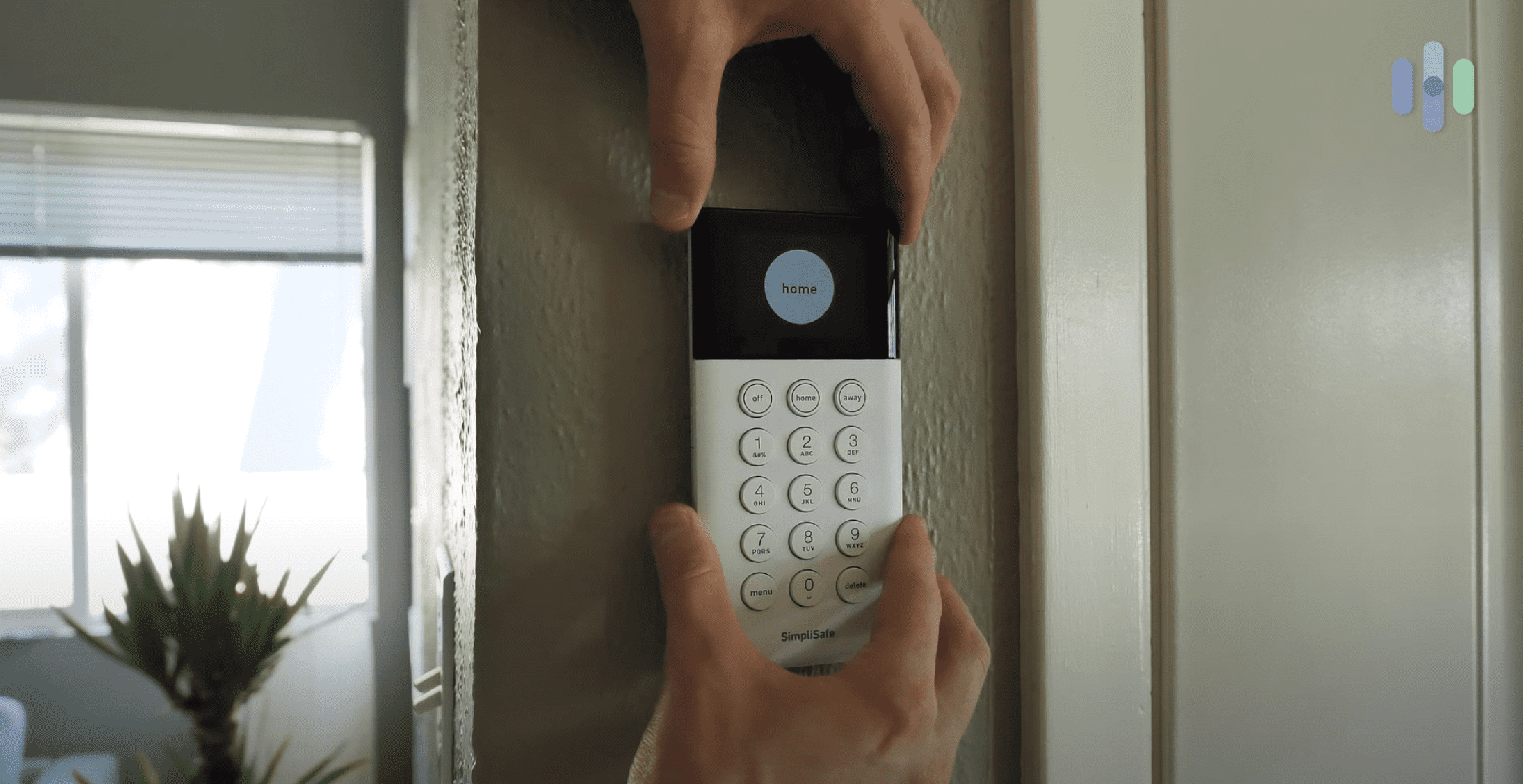
When we tested SimpliSafe, we plugged in the base station, set our PIN, and let the app guide us through the rest.
The most difficult thing we had to do was install the sensors. But every sensor we needed was peel and stick. Peel. Stick. Done. Was it easy? Yes. Did it hold up? Not in the long run. The peel-and-stick tape kept the sensors in place for months, but we don’t trust it to hold up for years. It loses grip over time. Plus, it could leave nasty adhesive marks when removed. Peel-and-stick is great to avoid drilling, but if you don’t anticipate a move in the next few years or so, talk to your landlord about using screws to anchor the sensors.
We did have the option to add on devices that are more complicated. The SimpliSafe smart lock, for example, requires a screwdriver. But depending on your contract with your landlord, you might not be allowed to change out the locks. The same is true for the SimpliSafe Video Doorbell we reviewed, which weirdly, required hardwiring. It was the only hardwired piece of equipment from SimpliSafe.
Both devices fall into the more advanced category of SimpliSafe equipment though. So if all you want is a simple, reliable, and renter-friendly security system, SimpliSafe checks all the boxes.
Pro Tip: If you do run into problems, SimpliSafe offers professional installation starting at $124.99.2
SimpliSafe Price
SimpliSafe’s cheapest kit – The Foundation – costs about $250. From there, you can add whatever sensors and devices you need. You don’t need to buy anything you don’t want though.
SimpliSafe might seem expensive. When we compared SimpliSafe to ADT, their starter packages both cost us $250 to $349. Their indoor cameras were $99 and $150, and their outdoor cameras were comparable, at $199.99 for SimpliSafe and $179.99 for the battery-powered outdoor Google Nest Cam from ADT. But if you look at it, it’s not that SimpliSafe and ADT are expensive. They are actually somewhere in the middle. Yes, there are cheaper options like Cove, but most security systems such as Vivint and Brinks offer packages that cost no less than $350. Vivint’s packages start at around $500.
On top of that, SimpliSafe is one of the best security systems that don’t require monthly fees. You can save a lot by self-monitoring, or if you want to pay in order for your SimpliCam and other cameras to record, the cost is only $9.99 per month. We definitely recommend going for the $31.99 core plan though. It includes cloud storage for 10 cameras, plus professional monitoring with Live Guard – live audio and video monitoring for the Smart Alarm indoor camera during emergencies.
FYI: We are testing SimpliSafe long-term, and one of the downsides we noticed is that it tends to raise its subscription prices when it drops new features. There have been three hikes over the past three years. The good news is it’s still affordable compared to the likes of Vivint and Frontpoint. Very few companies offer monitoring for about $22 per month like SimpliSafe does.
| Standard | Core | Pro | Pro Plus | |
|---|---|---|---|---|
| Monthly cost | $21.99 | $31.99 | $49.99 | $79.99 |
| Professional monitoring | Yes | Yes | Yes | Yes |
| Cellular backup | Yes | Yes | Yes | Yes |
| Video storage | No | Yes | Yes | Yes |
| AI-Assisted Guard Protection | No | No | Yes – from 8 p.m. to 6 a.m. local time | Yes – 24/7 |
| Smart home integration | No | Yes | Yes | Yes |
| Event timeline | Yes | Yes | Yes | Yes |
Whichever SimpliSafe package you choose, you can rest assured that you won’t spend more on security than you do on co-op fees.
2. Cove – Best for Affordable Professional Monitoring
Product Specs
| Equipment Costs | Systems start at $99 |
|---|---|
| Monitoring Options | Professional |
| Monthly Monitoring Costs | Starting at $19.99 per month |
| Contract Lengths | No contract required |
| Installation Options | DIY |
| Smart Platform Integration | Alexa and Google Home |

Cove Overview
Cove launched its affordable, top-rated DIY home security system in 2018. But SimpliSafe and Ring Alarm are also affordable DIY systems. What does Cove have that the other guys don’t?
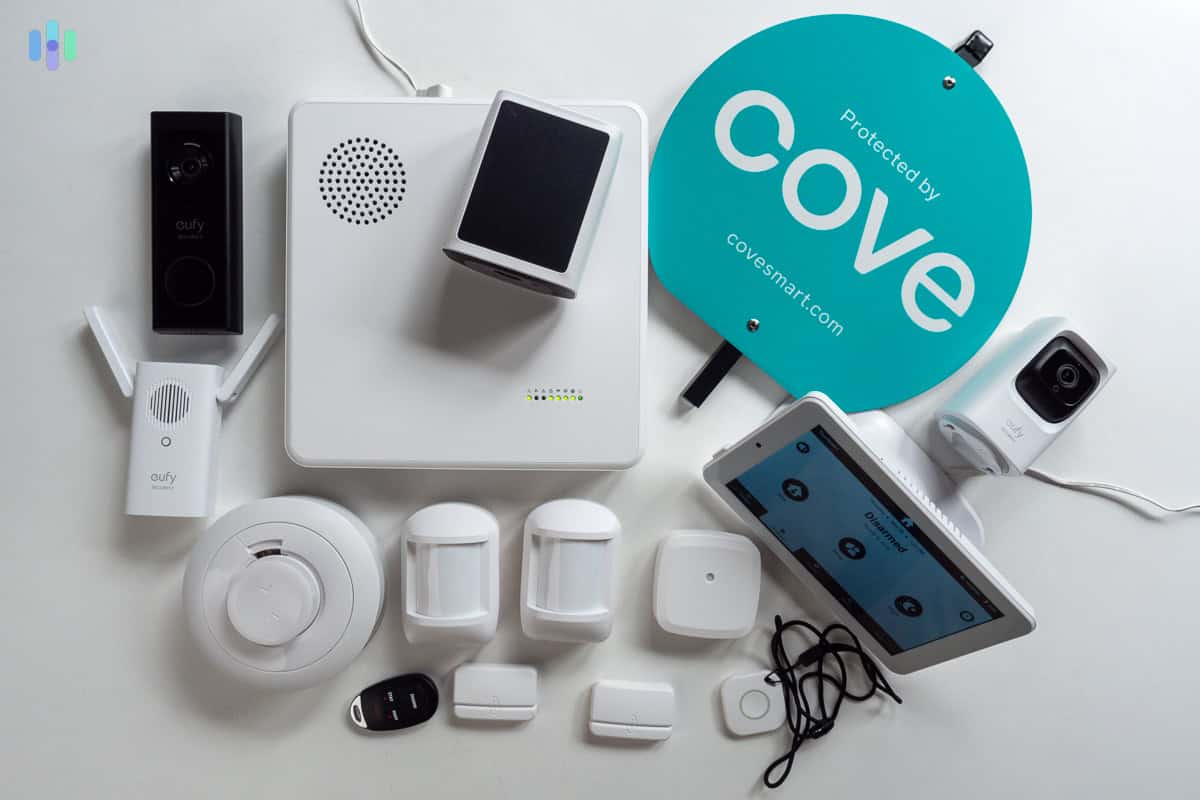
For starters, the cheapest professional monitoring in the game. If you live in a rough apartment complex and you need extra security, that $19.99 monthly Cove subscription could be money well spent.
When we tested Cove, we found more to like than cheap monitoring. The sensors were extra small, so they didn’t stick out on the door. Battery life was extra long, which gave us peace of mind. And everything worked seamlessly with our Google gear. (Cove is one of the best home security systems for Google Home users.)
FYI: Cove doesn’t sell Cove cameras. It sells eufy cameras. Is that bad? Not necessarily. Read our eufy 2K camera review to learn more.
What We Like
- Affordable professional monitoring
- Frequent discounts
- Google Home integration
What We Don’t Like
- Must call to cancel subscription
- Subscription required
- Key features require advanced subscription
Cove Contract
You can cancel your Cove contract anytime as long as that time is at least 30 days before your next billing date. This is not ideal when your lease is up in two weeks and you realize you forgot to cancel your security subscription, but at least you won’t pay a cancellation fee like you would if you signed a contract. Even if you pay an extra month because you forgot to cancel in time, the monthly cost isn’t hard to swallow.
That said, you have to make an actual phone call to cancel your Cove service, as with SimpliSafe. Come on, Cove, it’s 2024. Still, compared to a traditional provider like Alder, Cove makes cancellation a walk in the park.
How to Cancel Cove
- Call (855) 268-3669 at least 30 days before your next billing date.
You might not have to cancel Cove though. It’s as easy to uninstall as it is easy to install. You can take it with you and resume your monitoring plan at your new address, provided you’re just crossing city or state lines; not country. Just make sure you give Cove a call to update your billing and monitoring address. That way, they have your new location in case they need to send the cops to your house in an emergency.
Cove Install
Cove is yet another security system that claims to be easy-install. But is it? The short answer is yes. It took our team 25 minutes to install every component. We devoted a full day to testing, but that’s just because we like to be thorough.
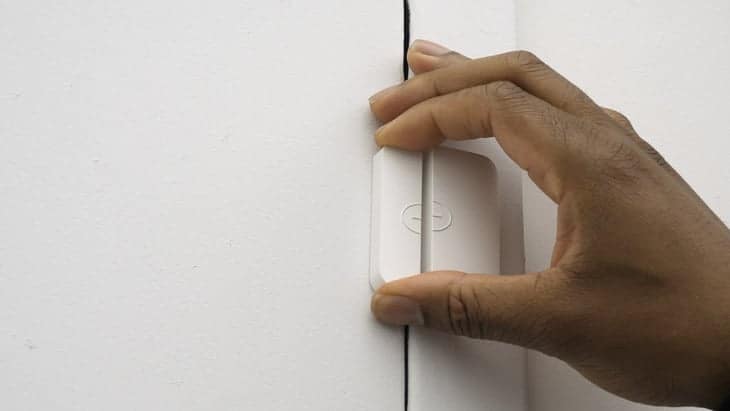
If you don’t want security technicians (aka strangers) entering your apartment building, don’t fret. This is definitely a system you can DIY.
The sensors have adhesive backing. The base station is free standing. And the cameras? You can either mount them or set them on a flat surface, like a bookshelf or something. And because none of Cove’s equipment is permanently installed, you can take Cove with you when you move.
One key distinction between SimpliSafe and Cove is the size and weight of equipment. Cove sensors were on the smaller side next to SimpliSafe, so they are more suited for peel-and-stick tape installation.
We should also mention that Cove comes with a touchscreen controller, something we’ve been longing to see from SimpliSafe. SimpliSafe offers a bulky, remote-like keypad designed for wall-mounting only. With Cove, you’ll get a tablet-like keypad you can attach to the wall or put on the nightstand next to your bed. It also has battery backup, so you can take it with you anywhere in the house.
Tip: Wireless range wasn’t an issue with Cove, because aside from the tablet-like controller, there’s also a router-like hub responsible for connecting the sensors. As long as you make sure to keep the hub in a central location, you can move the keypad around the house.
Cove Price
One of our pet peeves is when a security company hides its true pricing behind perpetually-in-place discounts. (Looking at you, Frontpoint!) Cove is also guilty of this.
If you add a Cove hub, panel, and contact sensor to your shopping cart, you’ll see what we mean. Supposedly, the full price is $315. As of publication, a discount brings it down to $94.50. It seems like must-buy savings — until you realize there’s a sale going more often than not.
Don’t let our grumbling stop you from picking up Cove equipment. At the end of the day, it doesn’t matter whether the discount is totally honest or not; it’s uber-affordable either way. You can buy a Cove set for less than it took to fill your apartment with Ikea furniture.
There is one more thing you should consider before you hit “buy.” Cove requires a subscription.
| Basic | Cove+ | |
|---|---|---|
| Monthly price | $19.99 | $29.99 |
| Professional monitoring | Yes | Yes |
| Cellular backup | Yes | Yes |
| Video storage | No | Yes |
| Google and Alexa Support | No | Yes |
| Event timeline | Yes | Yes |
Annoying? Yes. Affordable? Also yes. A price of $20 for professional monitoring is comparable to Ring Alarm monitoring, although we must say that Ring offers more features for the same price. That $20 monitoring plan from Ring, for example, already includes cloud video storage for unlimited cameras.
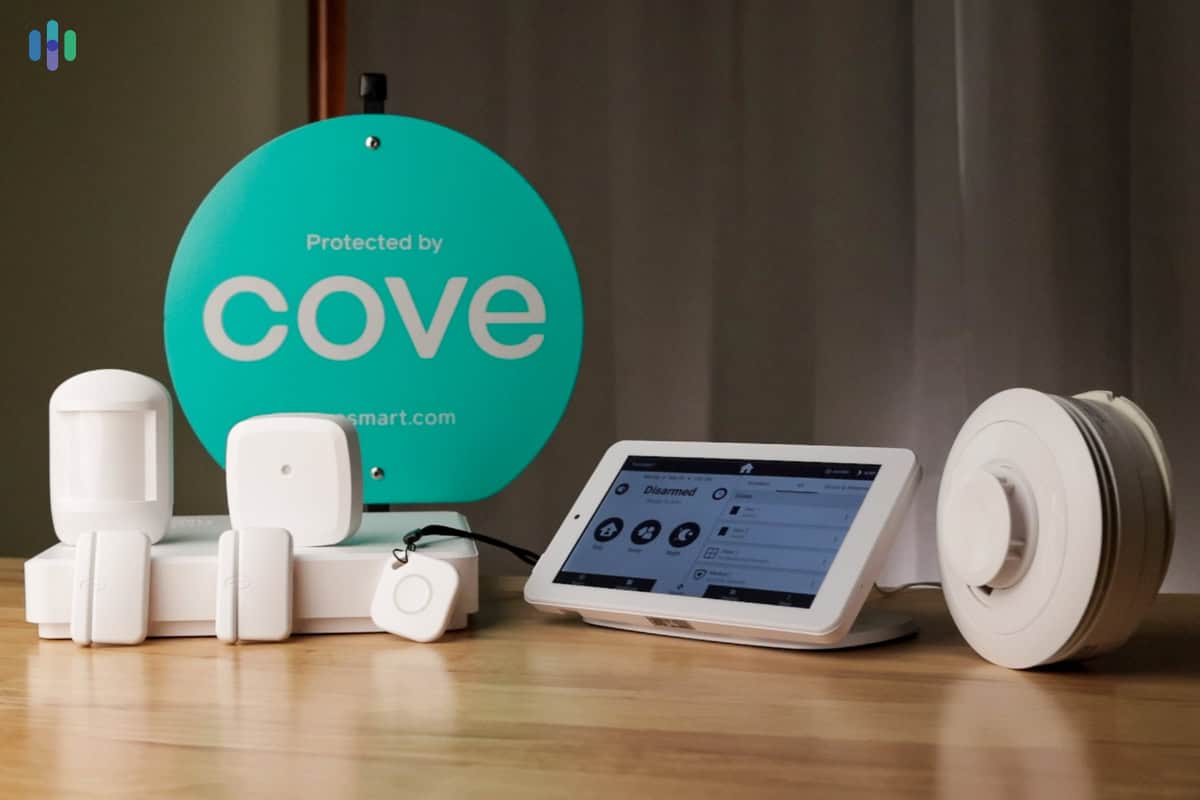
If you are in the market for professional monitoring anyway, you should consider giving Cove a try. Who knows? Maybe they’ll catch a nosy roommate sneaking into your bedroom while you’re at work.
3. abode – Best for Smart Apartments
Product Specs
| Equipment Costs | Packages starting at $159.99 |
|---|---|
| Monitoring Options | Professional and DIY |
| Monitoring Costs | Starting at $69 per year ($5.83 per month) |
| Contract Lengths | Yearly |
| Installation Options | DIY or professional |
| Smart Platform Integration | Alexa, Google Home, and Apple HomeKit |

abode Overview
Is your smart apartment a smart home? You should consider abode. It has all the plug-and-play ease of SimpliSafe with the supercharged home automation of Vivint.
Even if you’re not a home automation geek, the possibilities of abode’s CUE system just might turn you into one. When we tested abode, we set a rule that if the front door opened between 11 p.m. and 6 a.m., the living room lights would turn on and the Alexa speaker would blast a siren. Take that, intruders.
One word of caution, though: abode is affordable as a security system, but adding smart home gadgets drives up the equipment cost. It’s cheaper than Vivint as a smart home system, but with more home automation possibilities, abode could outprice SimpliSafe and Cove,
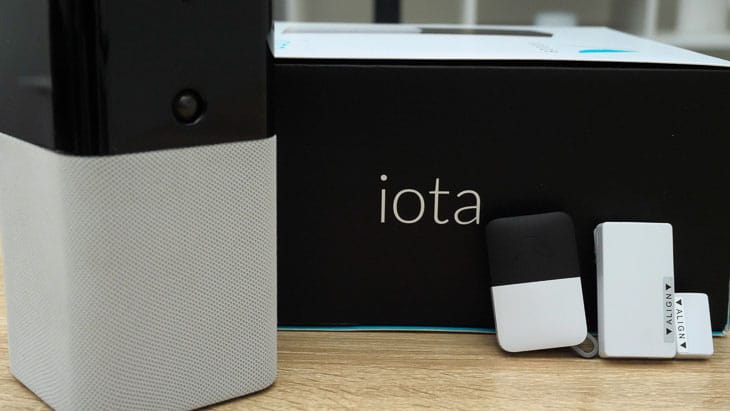
FYI: Abode’s iota system integrates with Alexa, Google Home, and Apple HomeKit.
What We Like
- Works with just about every smart home platform
- Affordable equipment
- Can cancel subscription in-app
What We Don’t Like
- Not every package comes with full smart home integrations
- Some sensors require drilling
- Lack of camera options
abode Contract
abode doesn’t force you to speak to a human (yuck!) to cancel its monitoring plan. Just open the app and tap unsubscribe.
Compare abode and SimpliSafe, which requires you to call its customer service line. abode makes it much easier to opt out of monitoring. When you have to move out because your landlord decided to sell your apartment building, you’ll be glad you went with abode.
How to Cancel abode
- Open the abode app.
- Tap Plan Details.
- Tap Unsubscribe.
When it comes to moving, you’re also free to take abode with you. Just know that it won’t send you a free kit like SimpliSafe would.
FYI: If you signed up for monitoring through your phone’s app store, you’ll need to cancel your subscription the same way. On an iPhone, open Settings, tap Subscriptions, and, when you find the right one, tap Cancel Subscription.3
abode Install
If you live in an apartment, you’re more likely to call maintenance than break out the power tools. Don’t worry. Even the least confident DIYers can install abode.
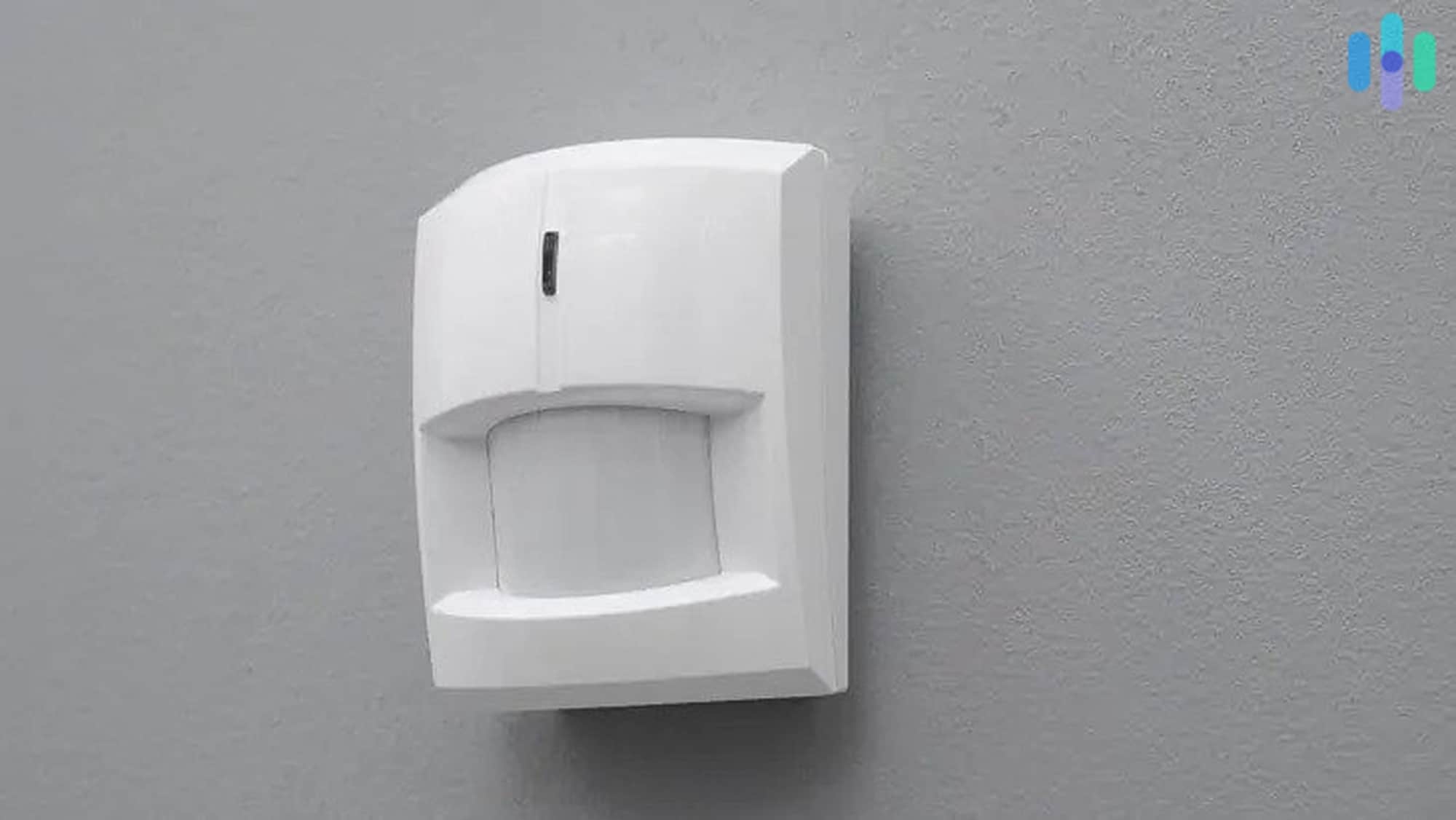
It took us a grand total of 20 minutes to install the abode security system. For context, it took us about 30 minutes to install SimpliSafe.
How did we manage to set it up so quickly? You guessed it: peel and stick sensors. Installing our abode kit was almost as easy as placing stickers in a scrapbook.
It would be a different story if we’d gone with abode’s recessed door sensors. They require drilling. We might have needed some professional help.
FYI: The most confusing part of abode isn’t installation; it’s ordering. The iota hub supports pretty much every smart home protocol, while the security hub supports only Google Home and Alexa. Make sure you order the right hub for your apartment.
abode Price
You don’t need to pay thousands of dollars for dozens of sensors for your studio apartment. You can save money and protect your place for less than $200.
The simplest, cheapest abode kit is only $159.99. That’s the lowest price on the list. It’s also as basic as it gets: one contact sensor, one key fob, and a security hub. For context, the Ring Alarm starter kit costs $179.99, but it comes with a doorbell camera and an indoor camera. If you only want video, you might want to go with Ring. But for basic apartment security, abode is enough.
That’s the equipment. What about the features? With abode, you can stream security camera footage, integrate smart home products, and receive push notifications. That’s not so unusual. What is unusual is the price: free 99. In other words, you don’t need a subscription to use abode.
If you do decide to upgrade, you have two plan options: Standard and Pro. Both are pretty good deals.
| Standard | Pro | |
|---|---|---|
| Yearly price | $69 | $169 |
| Professional monitoring | No, User-monitored | Yes |
| Cellular backup | No | Yes |
| Live video | Yes | Yes |
| Event timeline | Yes | Yes |
We should mention that abode’s biggest selling point is CUE, the home automation program the system uses to smarten up homes. You can create schedules with it, set up automation rules, and program smart scenes. You can connect smart home devices to abode without a fee.
Pro Tip: Want abode on a budget? Try its price-match program. If you find a comparable security package that is cheaper, abode will do its best to match it.4
4. Ring Alarm – Best for Alexa Users
Product Specs
| Equipment Costs | Packages starting at $244.95 |
|---|---|
| Monitoring Options | Professional and DIY |
| Monthly Monitoring Costs | Starting at $19.99 |
| Contract Lengths | 1-12 months |
| Installation Options | DIY or professional |
| Smart Platform Integration | Alexa and Google Home |

Ring Alarm Overview
If you live in an apartment complex, there’s a chance that your neighbors already have Ring. It’s that ubiquitous. And it’s that good.
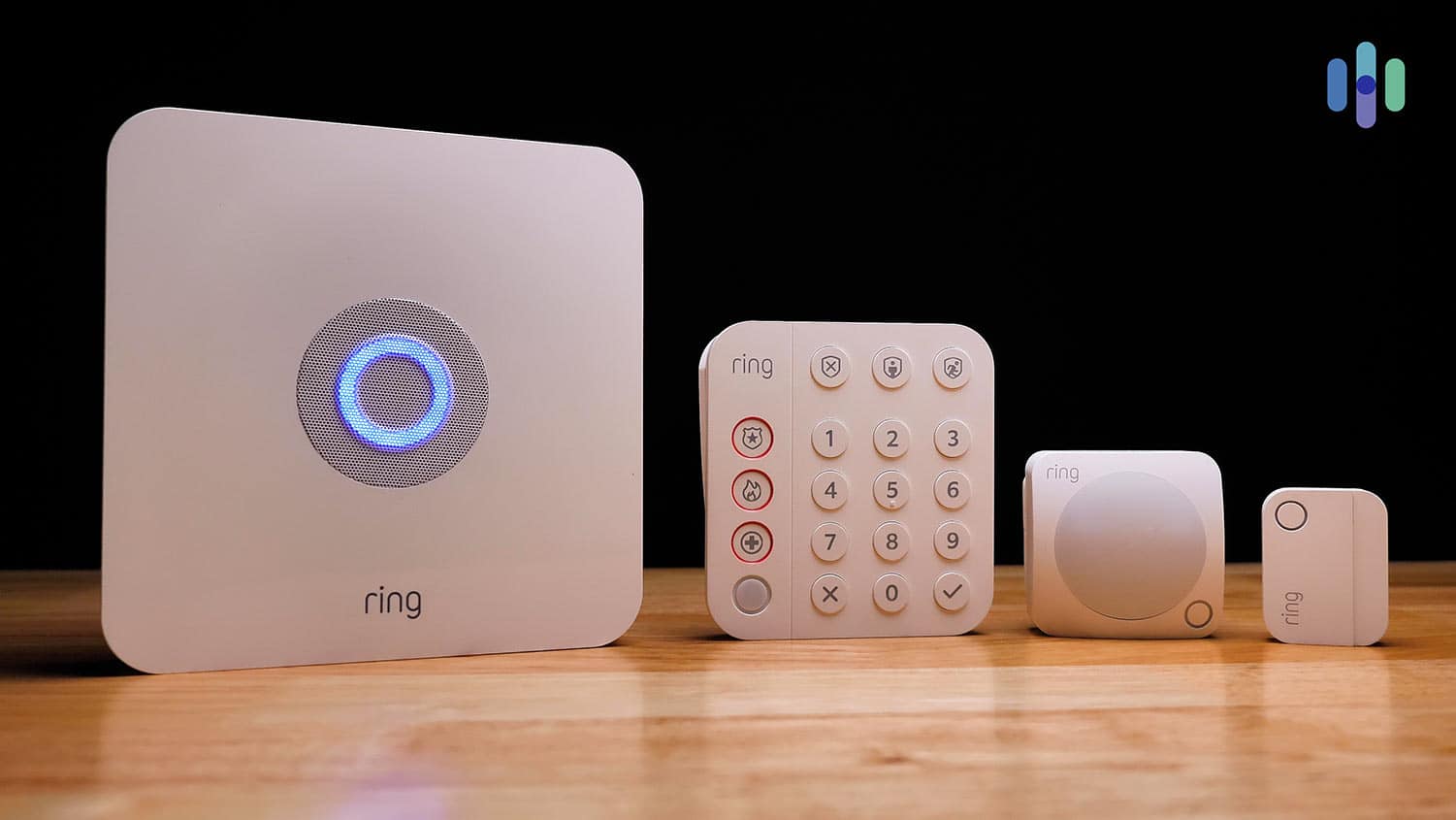
When we tested the Ring Alarm system, we were actually pretty impressed. The cameras recorded clear footage. The sensors detected people and ignored cats. And the Ring – Always Home app kept us informed about every little event.
Even better? It’s affordable. For less than $200 up front and as low as $19.99 per month, you get a functional, professionally monitored security system. That’s hard to beat.
What We Like
- Wide range of equipment, from bare bones to advanced
- Works with Alexa
- Only $19.99 per month for professional monitoring
What We Don’t Like
- Some equipment is pricey
- Virtual Guard feature is expensive
- Not fully compatible with Apple HomeKit or Google Assistant
Ring Alarm Contract
Maybe someday, you’ll want to upgrade your apartment to a home and your Ring Alarm to ADT. (Hey, it could happen.)
If that day comes, Ring Alarm will be easy to cancel. All you have to do is click, well, cancel.
How to Cancel Ring Protect Pro
- Log in to Ring.com.
- Select Protect Plan.
- Click Cancel Plan.
- Select now or at end of billing cycle.
- Confirm.
FYI: Did you sign up on the Amazon website? You can head over there instead.5
Ring Alarm Install
The basic Ring Alarm package is dead simple to install. It took us under half an hour to get the five-piece package up and running.
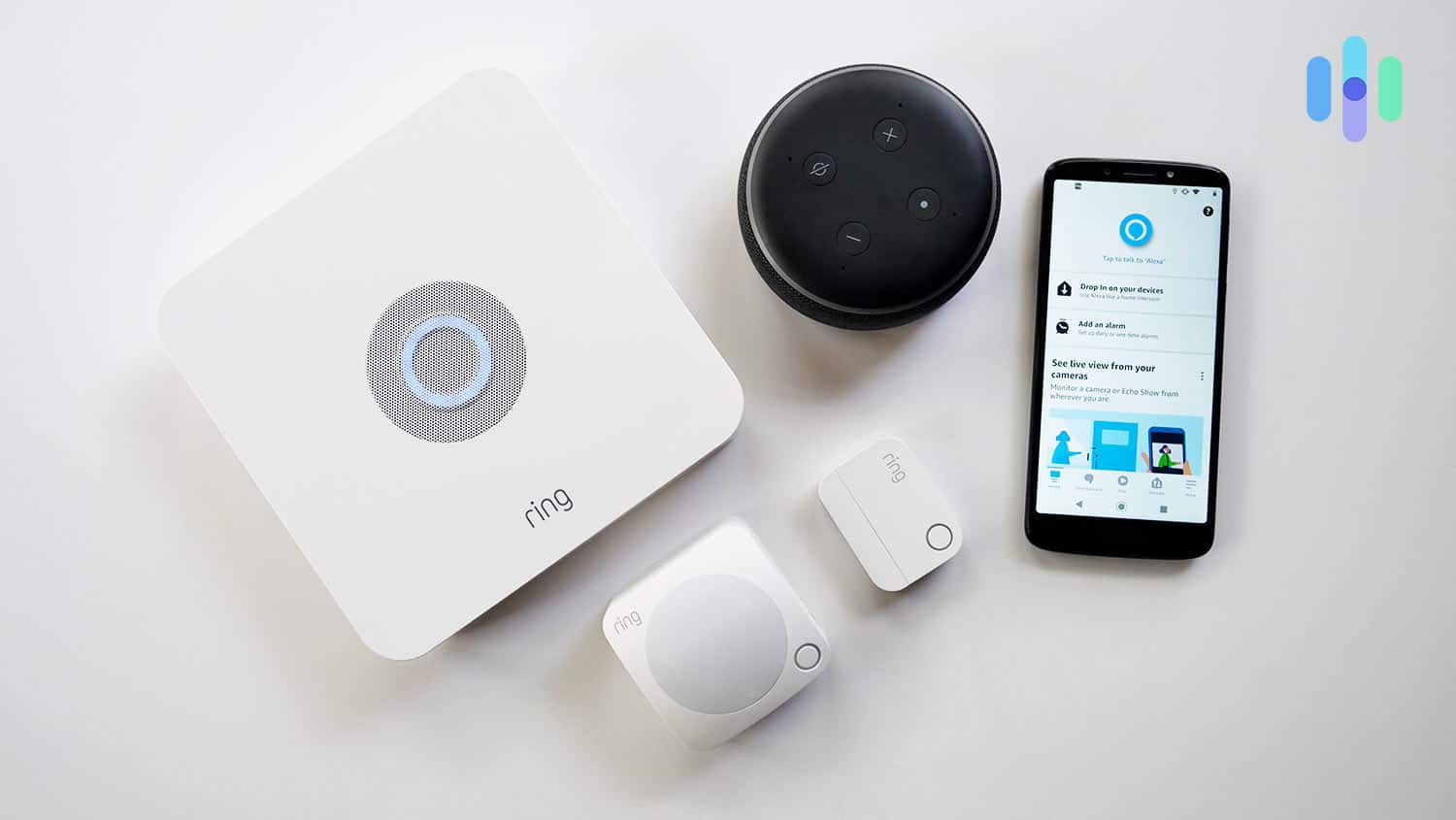
That’s even more impressive because we ran into some technical difficulties. Our base station wouldn’t connect to the Wi-Fi network at first. Obviously, it would be better if the process was bug-free. But the fact that we handled this snag and installed everything else in less than 30 minutes is telling of Ring’s user-friendliness.
The “everything else” came together so quickly thanks to Ring’s peel-and-stick sensors. All we had to do was remove the pull tabs from the battery slots, peel off the protective film, and affix the sensors on our doors, windows, and walls.
The Ring store does sell some more complicated equipment. You wouldn’t want to try installing a high-tech pipe sensor on your own, for example.
If you do choose to add on some advanced tech, you might want to fork over the $159.996 for professional installation.
Ring Alarm Price
At $179.99, the Ring Connected Basic Kit is one of the most affordable video security systems in the business.
Does that mean Ring is cheap? Not necessarily. You could go all out on Ring.com buying up the place. The most expensive piece of equipment we’ve found on the site is nearly $800.7
If you’re renting a room in an apartment to save money, you probably don’t want a luxury water monitor. Skip the extras and stick with the basic kit.
Pro Tip: If you do decide to buy a pricey Ring package, you can spread out the cost with Affirm.
Ring Alarm will function without any extra purchases. You can view live security footage from the app, free of charge. But if you do decide to subscribe, Ring’s plans range from affordable to luxe. And take note that none of these actually include professional monitoring for Ring Alarm. That’s an additional $10 per month on top of either the Standard or Premium subscription, but either way, those prices are affordable or at the very least comparable with other affordable options.
| Basic | Standard | Premium | |
|---|---|---|---|
| Monthly price | $4.99 | $9.99 | $19.99 |
| Alarm Professional monitoring | No | Add-on ($10/month) | Add-on ($10/month) |
| Virtual Security Guard | No | Add-on ($99/month) | Add-on ($99/month) |
| Cellular backup | No | Yes | Yes |
| Video storage | Events only | Events only | 24/7 |
| Smart home integration | Yes | Yes | Yes |
| Event summary | No | Yes | Yes |
Ring Protect plans range from $4.99 to $19.99 per month. Where is the luxe plan, you may ask? That would be the Virtual Security Guard, which rings up for an additional $99 per month.8 Think of this feature like supercharged professional monitoring. Your virtual guard can respond to security events in real-time by actively monitoring your video feed and deterring intruders with two-way audio and flashing lights on outdoor cameras. Virtual security guards will also proactively contact first responders in an emergency.
Sound familiar? That’s because SimpliSafe offers a similar feature for a fraction of the price. If you love the idea of a virtual guard but you’re on a tight budget, you might want to go with SimpliSafe.
>> Read More: Ring Alarm vs. SimpliSafe
5. Scout Alarm – Best Value

Scout Alarm Overview
What’s a seven-out-of-10 system doing on our best-of list? Well, let’s take a look at why we knocked points off in the first place. The hardware price can add up for large homes, and the camera is pretty basic.
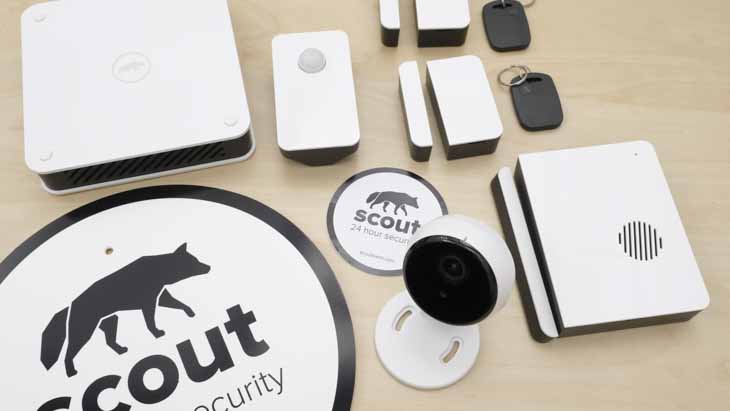
Here’s the thing: That’s not a big deal for apartment-dwellers. You don’t need lots of hardware. And you don’t need a fancy camera.
If those issues don’t matter, what are you left with? An affordable, easy-install system.
What We Like
- Minimalist system comes with everything an apartment needs
- Can email to cancel subscription
- Plenty of smart home integrations
What We Don’t Like
- Subscription required for basic functionality
- Clunky cameras
- Cameras lack local storage
Scout Alarm Contract
Every security system on this list had to pass what we call the “sudden move-out test.” If your property manager tells you that your apartment is full of mold and you have to move out immediately, could you cancel your security subscription? Scout passes with flying colors.
All you have to do is call or email Scout support. Even a yearly plan will be prorated.
How to Cancel Scout Alarm
- Call (844) 287-2688 or email [email protected].
Scout Alarm Install
Scout Alarm sensors are — you guessed it — peel and stick. That makes them easy to install. Unfortunately, there is a “but.” When we tested Scout ourselves, we found the camera to be clunky. It took 20 minutes to set one (one!) up.
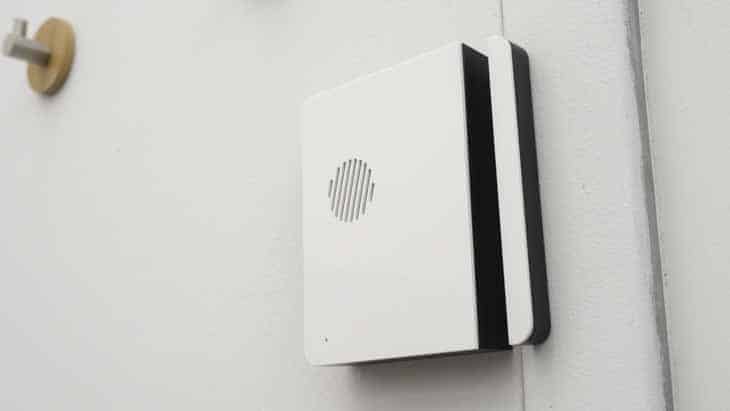
It’s annoying, but it’s not a dealbreaker. You can still set up Scout Alarm on your own — no awkward calls to your property manager necessary.
Pro Tip: Got an old Ring doorbell? You can integrate it with your Scout system. Hop on IFTTT and create automations to link the two.
Scout Alarm Price
The entry-level Scout Alarm package costs $229. When you stack up Ring vs. Scout Alarm, Ring is cheaper, but Scout Alarm comes with one more contact sensor.
| Always On | Always On+ | |
|---|---|---|
| Monthly price | $9.99 | $19.99 |
| Professional monitoring | No | Yes |
| Cellular backup | Yes | Yes |
| Video storage | No | Yes |
| Smart home integration | Yes | Yes |
| Event timeline | Yes | Yes |
There’s one more cost to consider: monitoring. Like Cove, Scout Alarm requires a subscription to work.9 Unlike Cove, there’s a cheap self-monitoring option.
Still, you have to pay at least $10 per month to use your Scout system. If you’re saving for a nicer place, every dollar counts. You might want to skip Scout.
link