Learn tips to avoid 5 common mistakes by beginners
Feature:
CRM
Project Management
Focus
Customers and sales
Tasks, projects, resources
Time Frame
Long-term relationships
Short-term deliverables
Used By
Sales, marketing, support
Project managers & teams
Data
Contacts, leads, pipeline
Tasks, deadlines, workload
Collaboration
Customer
Internal teams across projects
Best For
Enhancing revenue & sales strategies
Managing teams’ work & deadlines
In most cases, the best solution is to choose a mixed approach; however, each business’s needs are different, so it’s important to find the best fit. Choosing the wrong software can lead to duplicated efforts and the loss of valuable time. We go into more detail about each service in the following sections.
Customer relationship management software is specifically designed to help businesses with their clients’ interactions. CRMs are an all-in-one hub for client management, including storing contact details, tracking leads and managing sales pipelines.
CRM software helps manage communications between businesses and clients.
The main goal of CRM tools is to streamline sales and marketing efforts. By keeping all customer information in one place, CRM software allows users to deeply understand customer behavior and make data-driven decisions.
Sales teams, marketing departments and sales-focused businesses can benefit from CRM tools. Even freelancers and individual professionals can use these tools to track client leads and plan comprehensive strategies. Check out our list of the best CRM software for small businesses to learn more.
Improves collaboration between sales & marketing teams
Facilitates actionable insights & real key performance indicators (KPIs)
Can strengthen client relationships by centralizing customer data & communications
CRM Software Cons:
Employees might resist adopting new tools
Best suited for customer-centered businesses
Resource-heavy & time-consuming to implement
Regular audits may be needed to maintain data quality
Can cause inefficient communication without project management integration
What Is Project Management Software?
Project management tools are specifically designed to help teams plan, execute and organize projects efficiently. These tools usually include features that are considered key to project management strategies and can facilitate monitoring deliverables, setting priorities and tracking tasks.
Project management software helps keep team projects on track and organized.
The main goal of these tools is to help managers organize projects and teams across every step in a workflow. Features often include enhanced team collaboration tools, calendars, time-tracking options and more, which ensure every part of the process is covered.
These solutions are great for team leaders and multidisciplinary teams. Any kind of business, from small operations to large enterprises, can take advantage of project management software, as the platforms are flexible. If you want to learn more about these tools, dive into our project management guide for beginners.
Core Project Management Software Features:
Workflow automation
Task and project management
Resource and budget management
Team collaboration and communication
Project Management Pros:
Saves time & effort
Strengthens team communication
Can adapt to different kinds of processes
Improves productivity with structured workflows
Provides clear visibility of projects & deadlines
Project Management Cons:
Can be costly for small teams
May be too complex for simple teams
Usually lacks client-centered features
Time-consuming to onboard team members
Integrations may be necessary to cover all use cases
One option is to use a platform that combines both features. While this can be efficient, it isn’t always the best fit for many businesses. For example, a creative agency might prefer software with advanced collaboration tools to manage edits and complex feedback. You can read more in our best integrated CRM and project management software guide.
Pros of Having an All-in-One Tool
The biggest advantages of having an all-in-one platform include better team collaboration, easier onboarding, more efficient use of time and expenses, and centralized data.
Imagine a 15-person marketing agency using a combined tool like ClickUp. When the sales team closes a new client, the system can automatically create a project, preventing duplicate data. With this support, the agency can save admin time and boost business growth.
Improved Collaboration Across Teams
An integrated ecosystem gives all teams access to the same information. It’s also easier to reach a teammate when you’re both working with the same software system. Small and large companies alike benefit from this, as resource allocation and data management are easier when the whole team is using the same CRM project management solution.
Centralized Data
Any good CRM project management system has storage options to save customer and project data in one place. This makes it easier to manage information without switching between platforms. As basic as it might seem, this key feature is non-negotiable for efficient business operations.
Easier Learning Curves
Instead of learning two or more completely different tools, employees and collaborators need to learn how to use only one interface. This not only improves productivity but also makes onboarding easier.
Reduced Costs
Choosing a single all-in-one platform often means lower subscription fees compared to paying for multiple tools. If done right, it can also cut onboarding and training costs, as workers would need to learn just one platform. Additionally, with less time wasted switching between apps, managers can focus on efficiency.
Time-Saving Strategies
With the right setup, combined tools can automate repetitive tasks so teams can skip time-consuming steps and focus on high-value tasks. For example, when a project is finished, the software can be set up to automatically fire off an email notification to the client without the need for human intervention.
Cons of Having an All-in-One Tool
Larger organizations with complex teams might need more robust solutions than all-in-one tools. Some challenges include limited depth of features, bottlenecked performance for large teams, and risk of vendor lock-in.
For instance, a large professional services firm will require advanced features and detailed reporting, which integrated platforms usually struggle to implement. The firm may end up needing to rely on add-ons or external tools, negating the convenience of an all-in-one platform.
Only a Few Sophisticated Features
All-in-one platforms usually shine for their flexibility and broader scope, not for their specific in-depth features. Large companies and businesses may need more particular functionalities to adapt to their daily workflows. This could include business tools like sales funnel management or multiple project views and dashboards.
Performance Issues
A large team with many collaborators and employees that need to import files and follow complex workflows can end up working with crowded boards and views. This can result in bottlenecks and miscommunication.
Limited Vendor Choice
If your team scales or grows and your tool no longer supports the projects, you could be facing a challenge. Switching to another platform or investing in a mixed approach becomes harder when you rely on a single tool.
Pros & Cons of Keeping CRM & PM Software Separate
Now that we’ve discussed the pros and cons of combining CRM and project management tools, it’s worth talking about the pros and cons of keeping both CRM and project management software separate.
Pros
A separate-tool approach gives teams more flexibility and focus in each stage of their workflow, advanced features for different needs, as well as more freedom to manage a budget.
For example, a medium-sized e-commerce company can utilize Salesforce to manage its sales pipeline and Asana for project management, ensuring both teams are working with the specific tools they need.
Flexibility
Managers can jump from one tool to another and choose which features to implement, as working with separate tools provides more options. For example, if your CRM and PM tools both have time-tracking features, you can use the one you like best. Additionally, you can track tasks by department to gain deeper insights into each team’s work.
Advanced Features
When using separate tools, specific CRM or PM features tend to be more sophisticated and advanced. This allows the team to choose the most powerful software and customize it to have the perfect tailor-made team collaboration tool.
Focused Work
It’s easier for teams to maintain focus when functions are kept separate. The sales team can focus on customer relationships and business processes, while operations managers can concentrate on how to deliver projects in line with their goals and deadlines.
Specific Tools
For specific niches, teams can use tools that are designed for their needs. For example, a development team might find Jira to be a more appropriate tool than Trello for its project management capabilities. By choosing separate PM and CRM tools, the team can opt for Jira despite the platform’s lack of CRM features.
Adaptable Budget
An all-in-one solution can be cheaper for small teams, but not necessarily for larger teams. Additionally, using separate tools lets you control costs by paying only for the features you actually need, giving you more flexibility to prioritize and allocate your budget.
Cons
Using separate tools requires more manual effort and time, as you need to set up two platforms and sync data between them. Using two tools might also lead to problems with data, as well as fragmented insights from the tools.
For instance, a marketing team using separate software might spend several hours each week transferring clients’ information from one platform to another.
Inefficient for Cross-Functional Teams
Constantly switching between platforms can waste precious time, especially for small and medium-sized teams managing tasks across different departments. It might not seem like an issue at the beginning, but it can reduce overall productivity in the long run.
Duplicated or Misleading Data
It’s easy to have duplicated or mistaken data when using two different tools. Cross-checking information when your team uses two different platforms involves extra work. This can drag a small mistake across an entire project and end up being a major problem.
Weaker Insights
It’s hard to see the whole picture when your data is split across two platforms. This can lead to poor insights and make it harder to obtain valuable KPIs. Imagine you keep your customer satisfaction and project data separate. Even if you manually upload one dataset to the other platform, it won’t be as useful as having real-time, shared customer insights.
Hybrid Approach: CRM + PM via Integrations
A hybrid model can combine the best project management and CRM tools through integrations. Instead of relying on a single all-in-one platform, businesses can connect specialized software — such as HubSpot for CRM and Asana for projects — to create a tailored, personalized system.
This approach offers greater flexibility by letting teams select the strongest tools for each function. It also prevents data silos, ensuring information flows seamlessly between platforms. That way, both sales and project teams can leverage powerful features while staying aligned.
Stacks and Integration Tools:
Salesforce + monday.com: Best for aligning sales pipelines with project execution, helping sales and operations teams stay on the same page.
HubSpot + Jira: Ideal for syncing CRM and project management for professional data-driven teams.
Zendesk + Notion: Great for keeping customer support insights visible across teams and clients’ interactions on track.
Zapier: The go-to option for automating tasks across multiple apps, saving time and eliminating the need to acquire coding skills.
How to Decide: Integrated vs Separate vs Hybrid
With so many options out there, this decision requires careful consideration and time. Businesses should evaluate their size, budget, industry and general goals before they commit to any software to avoid wasting onboarding time.
Business Size & Maturity
Businesses’ size and growth plans play a big role in choosing the right tools. Smaller teams usually thrive on simpler solutions, making an all-in-one platform a good fit. In contrast, larger teams may need advanced features and more comprehensive solutions and integrations.
Hybrid or separate-tool approaches might be better for complex teams managing client relationships and long processes.
Budget Considerations
Costs are usually a key factor in any business decision, and choosing a software solution is no exception. An integrated platform can be more accessible simply because you pay a single subscription fee. Startups, individual professionals and small businesses that need a few core functionalities can benefit from integrated paid tiers.
Opting for a hybrid or separate-tool approach usually means spending more money, as you’ll pay for both software solutions independently. However, the cost may be justified, as these approaches offer more flexibility and advanced features. Small and mid-sized companies might find that a hybrid approach better fits their needs.
Finally, for large enterprises and growing companies, a separate-tool approach may be the best solution, as it provides top-grade precision and control. It’s more expensive, but the balance of cost and efficiency can provide the best return on investment in the long run for complex teams.
Industry-Specific Needs
Each niche has different needs, and the decision-making process can be highly context-dependent. Imagine how different the needs of a marketing agency are compared to those of a software development team, for example.
Teams that rely heavily on customer relationships can benefit from an integrated CRM solution. The ease of having sales, project and reporting tools all in one platform can make up for the lack of advanced features. After all, it’s in a team’s best interest to have client interactions directly linked to deliverables and project timelines.
More advanced teams with complex operations and logistical processes will find separate-tool or hybrid approach setups to be more conducive to their workflow. These niches specifically require advanced planning tools and core project management features that all-in-one software often lacks.
Scalability & Future Growth
Lastly, when thinking about scalability, hybrid and separate-tool setups usually win. They excel at providing flexible options, as they have more space for growth. All-in-one solutions can be great for small teams, but they are not as customizable or expandable.
A hybrid approach helps teams manage daily workflows more smoothly. Let’s say your sales team is expanding and bringing in more clients. With a hybrid approach, the sales team can use a CRM tool to track leads, while integrations can automatically create projects and operations for other teams. This prevents bottlenecks and keeps everyone aligned.
Factor:
Integrated Tool (All-in-One)
Separate Tools (CRM + PM)
Hybrid Approach (Integrations)
Cost
Cheaper up front (1 subscription) but can get expensive at scale
More expensive (multiple licenses, possible integration fees)
Mid-range (two tools + integration service costs)
Features
Broad but shallow (may lack depth in advanced CRM/PM functions)
Deep & specialized (best-in-class for each)
Provides depth & flexibility, depending on integration quality
Ease of Use
Simple onboarding, one interface
Steeper learning curve (multiple platforms)
Moderate (separate UIs but connected workflows)
Scalability
Limited to enterprises or complex industries
Very scalable, grows with business
Scalable if integrations are reliable
Best For
Small agencies, consultancies, early-stage startups
Enterprises, SaaS, & industries with complex needs
Mid-sized businesses wanting both flexibility & connectivity
Implementation Challenges & Best Practices
Moving from one approach to another — or even adopting a software solution for the first time — can be a challenge. Any innovation can introduce challenges like errors, user resistance and time-consuming efforts. With the right approach and help, these challenges can be managed effectively.
Data Migration Considerations
Migrating data can be overwhelming and messy, especially when done incorrectly. Always make sure to check which method is best for importing or exporting data to your desired software solution before beginning.
If you perform the data migration step poorly, you can end up with duplicate records and incomplete databases or, worse, lose information. It can’t hurt to run an evaluation and a backup once you’re finished.
Training & User Adoption
Invest time in properly training your team and clients, and encourage them to give feedback and share insights. It’s important they understand that the new implementations are for their benefit. Adoption may be slow at first, but with ongoing support, your team will see the value of these solutions. After all, these tools deliver results only when actively used.
Ongoing Maintenance
No software is maintenance-free. Be consistent with monitoring updates, upgrades and credentials, and consider assigning someone on your team to oversee this process.
Challenge
Best Practice
Data migration errors (duplicate records, lost history, messy imports)
Constantly review your data, back it up and conduct test migrations and investigations before the final transfer.
Low user adoption and training gaps (teams resist change or underuse features)
Provide comprehensive training, incentivize users to be part of the change and show them the benefits of using the software.
Integration breakdowns (CRM and PM stop syncing after API updates)
Assign an employee to schedule regular checks and monitor data.
Final Thoughts
Choosing between integrated, separate or hybrid CRM and project management solutions depends on your business’s size, budget, niche and goals. Before deciding on any solution, assess your workflows and identify your weaknesses and pain points.
Which approach fits your team best? What are the main challenges your business faces daily? Do you think any of the solutions in this article could help you? I’d love to hear your thoughts — share your experiences in the comments. Thanks for reading.
FAQs: CRM vs Project Management Software
The main difference between CRM and project management is that CRM tools focus on managing sales and customer experience, while project management tools are designed to organize, enhance and track projects across teams.
Sales, marketing and customer-centered teams can widely benefit from CRM tools to improve client satisfaction, drive revenue growth and obtain sales insights.
Sources:
World of work report – monday.com
50+ CRM statistics you should know in 2024 – Freshworks
Project Management Statistics: Trends and Common Mistakes in 2024 – TeamStage
link
Key Takeaways: CRM vs Project Management Software
Customer relationship management (CRM) tools focus on customer growth and retention by letting businesses track leads and sales while managing client satisfaction.
Project management (PM) tools are made for organizing workflows and teams by keeping tasks, deadlines and insights aligned.
Each type of tool serves a different purpose, so it is key to implement solutions that complement each other based on your business priorities.
Facts & Expert Analysis About CRM vs Project Management:
Digital tools are here to stay: Almost 60% of employees report using more workplace or productivity tools than last year, making it vital to understand the difference between CRM and PM software.1
CRM on the rise: In a 2024 survey of 600 businesses, 73% reported implementing CRM tools.2
High-performance teams and PM tools: Over 75% of high-performing teams use project management tools to facilitate their workflow.3
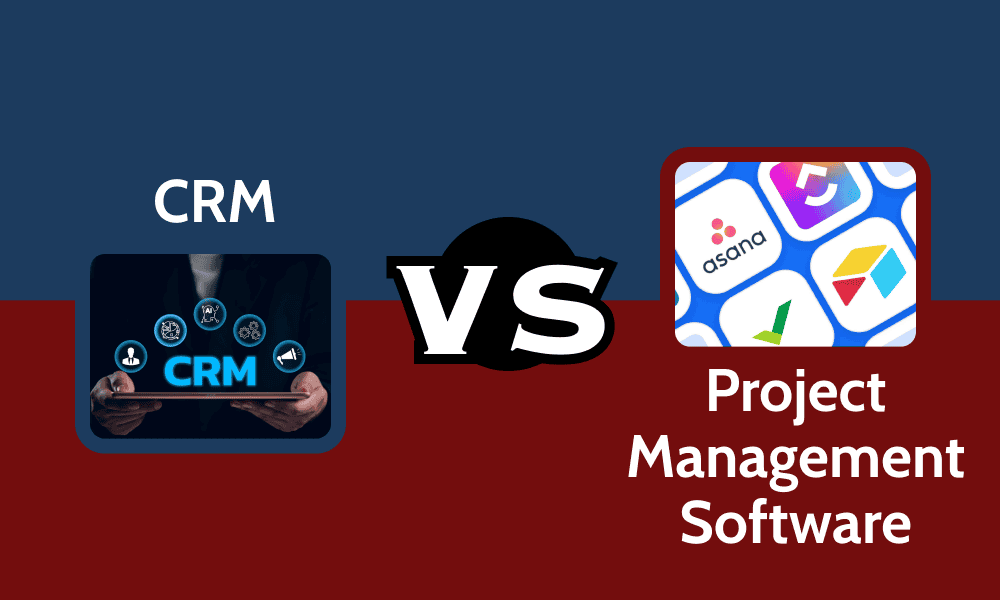
At first glance, customer relationship management (CRM) and project management (PM) tools seem alike, but in reality, they have different uses. Both aim to improve efficiency and keep teams aligned, but they have different focuses.
CRM software is designed around buyers and clients, while top project management software is built to manage tasks, deadlines and projects. In this CRM vs project management overview, we’ll compare the core features of each and the main differences between the two.
CRM vs Project Management: Key Differences
CRM tools help businesses anticipate clients’ needs and improve overall revenue and growth by centralizing customer data. In contrast, project management tools are designed to keep internal work organized and efficient. Project management tools prioritize workflow structures and task accountability over sales.
Additionally, CRM aims at establishing long-term customer relationship management and strategies by providing insights, while project management platforms are focused on short-term objectives, deliverables and specific milestones and goals. Acknowledging these differences can help businesses decide whether to adopt one tool or an integrated approach.
Discover 10 fundamentals of project management
Understand step-by-step plans for PM execution
Learn tips to avoid 5 common mistakes by beginners
Feature:
CRM
Project Management
Focus
Customers and sales
Tasks, projects, resources
Time Frame
Long-term relationships
Short-term deliverables
Used By
Sales, marketing, support
Project managers & teams
Data
Contacts, leads, pipeline
Tasks, deadlines, workload
Collaboration
Customer
Internal teams across projects
Best For
Enhancing revenue & sales strategies
Managing teams’ work & deadlines
In most cases, the best solution is to choose a mixed approach; however, each business’s needs are different, so it’s important to find the best fit. Choosing the wrong software can lead to duplicated efforts and the loss of valuable time. We go into more detail about each service in the following sections.
What Is CRM Software?
Customer relationship management software is specifically designed to help businesses with their clients’ interactions. CRMs are an all-in-one hub for client management, including storing contact details, tracking leads and managing sales pipelines.
CRM software helps manage communications between businesses and clients.
The main goal of CRM tools is to streamline sales and marketing efforts. By keeping all customer information in one place, CRM software allows users to deeply understand customer behavior and make data-driven decisions.
Sales teams, marketing departments and sales-focused businesses can benefit from CRM tools. Even freelancers and individual professionals can use these tools to track client leads and plan comprehensive strategies. Check out our list of the best CRM software for small businesses to learn more.
Improves collaboration between sales & marketing teams
Facilitates actionable insights & real key performance indicators (KPIs)
Can strengthen client relationships by centralizing customer data & communications
CRM Software Cons:
Employees might resist adopting new tools
Best suited for customer-centered businesses
Resource-heavy & time-consuming to implement
Regular audits may be needed to maintain data quality
Can cause inefficient communication without project management integration
What Is Project Management Software?
Project management tools are specifically designed to help teams plan, execute and organize projects efficiently. These tools usually include features that are considered key to project management strategies and can facilitate monitoring deliverables, setting priorities and tracking tasks.
Project management software helps keep team projects on track and organized.
The main goal of these tools is to help managers organize projects and teams across every step in a workflow. Features often include enhanced team collaboration tools, calendars, time-tracking options and more, which ensure every part of the process is covered.
These solutions are great for team leaders and multidisciplinary teams. Any kind of business, from small operations to large enterprises, can take advantage of project management software, as the platforms are flexible. If you want to learn more about these tools, dive into our project management guide for beginners.
Core Project Management Software Features:
Workflow automation
Task and project management
Resource and budget management
Team collaboration and communication
Project Management Pros:
Saves time & effort
Strengthens team communication
Can adapt to different kinds of processes
Improves productivity with structured workflows
Provides clear visibility of projects & deadlines
Project Management Cons:
Can be costly for small teams
May be too complex for simple teams
Usually lacks client-centered features
Time-consuming to onboard team members
Integrations may be necessary to cover all use cases
One option is to use a platform that combines both features. While this can be efficient, it isn’t always the best fit for many businesses. For example, a creative agency might prefer software with advanced collaboration tools to manage edits and complex feedback. You can read more in our best integrated CRM and project management software guide.
Pros of Having an All-in-One Tool
The biggest advantages of having an all-in-one platform include better team collaboration, easier onboarding, more efficient use of time and expenses, and centralized data.
Imagine a 15-person marketing agency using a combined tool like ClickUp. When the sales team closes a new client, the system can automatically create a project, preventing duplicate data. With this support, the agency can save admin time and boost business growth.
Improved Collaboration Across Teams
An integrated ecosystem gives all teams access to the same information. It’s also easier to reach a teammate when you’re both working with the same software system. Small and large companies alike benefit from this, as resource allocation and data management are easier when the whole team is using the same CRM project management solution.
Centralized Data
Any good CRM project management system has storage options to save customer and project data in one place. This makes it easier to manage information without switching between platforms. As basic as it might seem, this key feature is non-negotiable for efficient business operations.
Easier Learning Curves
Instead of learning two or more completely different tools, employees and collaborators need to learn how to use only one interface. This not only improves productivity but also makes onboarding easier.
Reduced Costs
Choosing a single all-in-one platform often means lower subscription fees compared to paying for multiple tools. If done right, it can also cut onboarding and training costs, as workers would need to learn just one platform. Additionally, with less time wasted switching between apps, managers can focus on efficiency.
Time-Saving Strategies
With the right setup, combined tools can automate repetitive tasks so teams can skip time-consuming steps and focus on high-value tasks. For example, when a project is finished, the software can be set up to automatically fire off an email notification to the client without the need for human intervention.
Cons of Having an All-in-One Tool
Larger organizations with complex teams might need more robust solutions than all-in-one tools. Some challenges include limited depth of features, bottlenecked performance for large teams, and risk of vendor lock-in.
For instance, a large professional services firm will require advanced features and detailed reporting, which integrated platforms usually struggle to implement. The firm may end up needing to rely on add-ons or external tools, negating the convenience of an all-in-one platform.
Only a Few Sophisticated Features
All-in-one platforms usually shine for their flexibility and broader scope, not for their specific in-depth features. Large companies and businesses may need more particular functionalities to adapt to their daily workflows. This could include business tools like sales funnel management or multiple project views and dashboards.
Performance Issues
A large team with many collaborators and employees that need to import files and follow complex workflows can end up working with crowded boards and views. This can result in bottlenecks and miscommunication.
Limited Vendor Choice
If your team scales or grows and your tool no longer supports the projects, you could be facing a challenge. Switching to another platform or investing in a mixed approach becomes harder when you rely on a single tool.
Pros & Cons of Keeping CRM & PM Software Separate
Now that we’ve discussed the pros and cons of combining CRM and project management tools, it’s worth talking about the pros and cons of keeping both CRM and project management software separate.
Pros
A separate-tool approach gives teams more flexibility and focus in each stage of their workflow, advanced features for different needs, as well as more freedom to manage a budget.
For example, a medium-sized e-commerce company can utilize Salesforce to manage its sales pipeline and Asana for project management, ensuring both teams are working with the specific tools they need.
Flexibility
Managers can jump from one tool to another and choose which features to implement, as working with separate tools provides more options. For example, if your CRM and PM tools both have time-tracking features, you can use the one you like best. Additionally, you can track tasks by department to gain deeper insights into each team’s work.
Advanced Features
When using separate tools, specific CRM or PM features tend to be more sophisticated and advanced. This allows the team to choose the most powerful software and customize it to have the perfect tailor-made team collaboration tool.
Focused Work
It’s easier for teams to maintain focus when functions are kept separate. The sales team can focus on customer relationships and business processes, while operations managers can concentrate on how to deliver projects in line with their goals and deadlines.
Specific Tools
For specific niches, teams can use tools that are designed for their needs. For example, a development team might find Jira to be a more appropriate tool than Trello for its project management capabilities. By choosing separate PM and CRM tools, the team can opt for Jira despite the platform’s lack of CRM features.
Adaptable Budget
An all-in-one solution can be cheaper for small teams, but not necessarily for larger teams. Additionally, using separate tools lets you control costs by paying only for the features you actually need, giving you more flexibility to prioritize and allocate your budget.
Cons
Using separate tools requires more manual effort and time, as you need to set up two platforms and sync data between them. Using two tools might also lead to problems with data, as well as fragmented insights from the tools.
For instance, a marketing team using separate software might spend several hours each week transferring clients’ information from one platform to another.
Inefficient for Cross-Functional Teams
Constantly switching between platforms can waste precious time, especially for small and medium-sized teams managing tasks across different departments. It might not seem like an issue at the beginning, but it can reduce overall productivity in the long run.
Duplicated or Misleading Data
It’s easy to have duplicated or mistaken data when using two different tools. Cross-checking information when your team uses two different platforms involves extra work. This can drag a small mistake across an entire project and end up being a major problem.
Weaker Insights
It’s hard to see the whole picture when your data is split across two platforms. This can lead to poor insights and make it harder to obtain valuable KPIs. Imagine you keep your customer satisfaction and project data separate. Even if you manually upload one dataset to the other platform, it won’t be as useful as having real-time, shared customer insights.
Hybrid Approach: CRM + PM via Integrations
A hybrid model can combine the best project management and CRM tools through integrations. Instead of relying on a single all-in-one platform, businesses can connect specialized software — such as HubSpot for CRM and Asana for projects — to create a tailored, personalized system.
This approach offers greater flexibility by letting teams select the strongest tools for each function. It also prevents data silos, ensuring information flows seamlessly between platforms. That way, both sales and project teams can leverage powerful features while staying aligned.
Stacks and Integration Tools:
Salesforce + monday.com: Best for aligning sales pipelines with project execution, helping sales and operations teams stay on the same page.
HubSpot + Jira: Ideal for syncing CRM and project management for professional data-driven teams.
Zendesk + Notion: Great for keeping customer support insights visible across teams and clients’ interactions on track.
Zapier: The go-to option for automating tasks across multiple apps, saving time and eliminating the need to acquire coding skills.
How to Decide: Integrated vs Separate vs Hybrid
With so many options out there, this decision requires careful consideration and time. Businesses should evaluate their size, budget, industry and general goals before they commit to any software to avoid wasting onboarding time.
Business Size & Maturity
Businesses’ size and growth plans play a big role in choosing the right tools. Smaller teams usually thrive on simpler solutions, making an all-in-one platform a good fit. In contrast, larger teams may need advanced features and more comprehensive solutions and integrations.
Hybrid or separate-tool approaches might be better for complex teams managing client relationships and long processes.
Budget Considerations
Costs are usually a key factor in any business decision, and choosing a software solution is no exception. An integrated platform can be more accessible simply because you pay a single subscription fee. Startups, individual professionals and small businesses that need a few core functionalities can benefit from integrated paid tiers.
Opting for a hybrid or separate-tool approach usually means spending more money, as you’ll pay for both software solutions independently. However, the cost may be justified, as these approaches offer more flexibility and advanced features. Small and mid-sized companies might find that a hybrid approach better fits their needs.
Finally, for large enterprises and growing companies, a separate-tool approach may be the best solution, as it provides top-grade precision and control. It’s more expensive, but the balance of cost and efficiency can provide the best return on investment in the long run for complex teams.
Industry-Specific Needs
Each niche has different needs, and the decision-making process can be highly context-dependent. Imagine how different the needs of a marketing agency are compared to those of a software development team, for example.
Teams that rely heavily on customer relationships can benefit from an integrated CRM solution. The ease of having sales, project and reporting tools all in one platform can make up for the lack of advanced features. After all, it’s in a team’s best interest to have client interactions directly linked to deliverables and project timelines.
More advanced teams with complex operations and logistical processes will find separate-tool or hybrid approach setups to be more conducive to their workflow. These niches specifically require advanced planning tools and core project management features that all-in-one software often lacks.
Scalability & Future Growth
Lastly, when thinking about scalability, hybrid and separate-tool setups usually win. They excel at providing flexible options, as they have more space for growth. All-in-one solutions can be great for small teams, but they are not as customizable or expandable.
A hybrid approach helps teams manage daily workflows more smoothly. Let’s say your sales team is expanding and bringing in more clients. With a hybrid approach, the sales team can use a CRM tool to track leads, while integrations can automatically create projects and operations for other teams. This prevents bottlenecks and keeps everyone aligned.
Factor:
Integrated Tool (All-in-One)
Separate Tools (CRM + PM)
Hybrid Approach (Integrations)
Cost
Cheaper up front (1 subscription) but can get expensive at scale
More expensive (multiple licenses, possible integration fees)
Mid-range (two tools + integration service costs)
Features
Broad but shallow (may lack depth in advanced CRM/PM functions)
Deep & specialized (best-in-class for each)
Provides depth & flexibility, depending on integration quality
Ease of Use
Simple onboarding, one interface
Steeper learning curve (multiple platforms)
Moderate (separate UIs but connected workflows)
Scalability
Limited to enterprises or complex industries
Very scalable, grows with business
Scalable if integrations are reliable
Best For
Small agencies, consultancies, early-stage startups
Enterprises, SaaS, & industries with complex needs
Mid-sized businesses wanting both flexibility & connectivity
Implementation Challenges & Best Practices
Moving from one approach to another — or even adopting a software solution for the first time — can be a challenge. Any innovation can introduce challenges like errors, user resistance and time-consuming efforts. With the right approach and help, these challenges can be managed effectively.
Data Migration Considerations
Migrating data can be overwhelming and messy, especially when done incorrectly. Always make sure to check which method is best for importing or exporting data to your desired software solution before beginning.
If you perform the data migration step poorly, you can end up with duplicate records and incomplete databases or, worse, lose information. It can’t hurt to run an evaluation and a backup once you’re finished.
Training & User Adoption
Invest time in properly training your team and clients, and encourage them to give feedback and share insights. It’s important they understand that the new implementations are for their benefit. Adoption may be slow at first, but with ongoing support, your team will see the value of these solutions. After all, these tools deliver results only when actively used.
Ongoing Maintenance
No software is maintenance-free. Be consistent with monitoring updates, upgrades and credentials, and consider assigning someone on your team to oversee this process.
Challenge
Best Practice
Data migration errors (duplicate records, lost history, messy imports)
Constantly review your data, back it up and conduct test migrations and investigations before the final transfer.
Low user adoption and training gaps (teams resist change or underuse features)
Provide comprehensive training, incentivize users to be part of the change and show them the benefits of using the software.
Integration breakdowns (CRM and PM stop syncing after API updates)
Assign an employee to schedule regular checks and monitor data.
Final Thoughts
Choosing between integrated, separate or hybrid CRM and project management solutions depends on your business’s size, budget, niche and goals. Before deciding on any solution, assess your workflows and identify your weaknesses and pain points.
Which approach fits your team best? What are the main challenges your business faces daily? Do you think any of the solutions in this article could help you? I’d love to hear your thoughts — share your experiences in the comments. Thanks for reading.
FAQs: CRM vs Project Management Software
The main difference between CRM and project management is that CRM tools focus on managing sales and customer experience, while project management tools are designed to organize, enhance and track projects across teams.
Sales, marketing and customer-centered teams can widely benefit from CRM tools to improve client satisfaction, drive revenue growth and obtain sales insights.
Sources:
World of work report – monday.com
50+ CRM statistics you should know in 2024 – Freshworks
Project Management Statistics: Trends and Common Mistakes in 2024 – TeamStage